On-device reactions
Oneira's expressive reactions run on the device, so its face can respond without relying on a cloud request.
See the local coreConnected beta / deliberate workflows
See how Oneira can begin a compatible owner-configured workflow while keeping external services, permissions, confirmation, and support boundaries clear.
Product status
Connected beta features require the Oneira app, internet access, a compatible service, and permissions you approve. They can change and may not work with every service.
The short answer
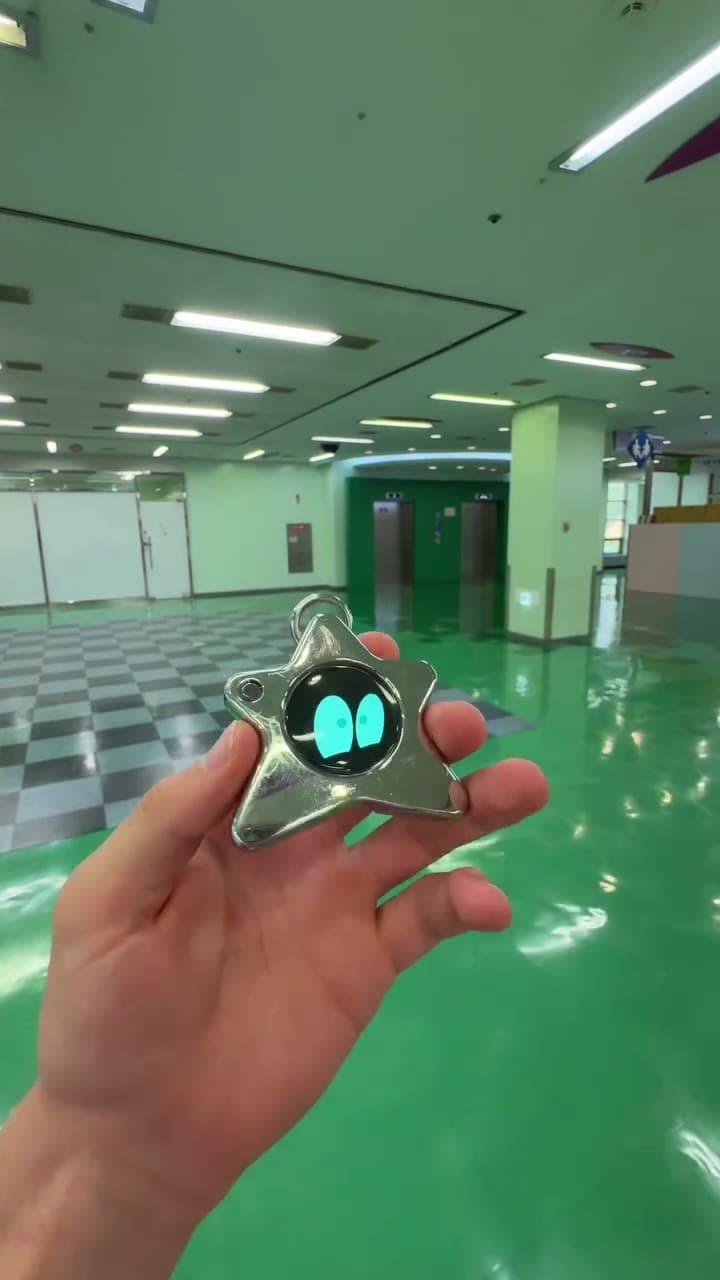
Oneira Dream Big+
Small enough to look playful. Built with a dual AI chip, OLED screen, and 1K camera, plus optional connected experiences you control.
Each $80 Founding Unit includes one Oneira device with a dual AI chip, OLED screen, and 1K camera, plus the selected color and included eye set. The 1K camera is included; its final production module and other non-material production details may change before fulfillment. Optional connected services, provider accounts, usage, and third-party fees are separate.
Oneira's expressive reactions run on the device, so its face can respond without relying on a cloud request.
See the local coreThe working prototype includes a dual ai chip, oled screen, and 1k camera. The 1K camera is included in the $80 Founding Unit; its final production module may change before fulfillment.
Inspect the hardwareOptional compatible connected services can extend Oneira when you choose. Setup, permissions, internet access, provider terms, and usage costs remain separate. Connected experiences work only with compatible services the owner deliberately configures. Oneira does not connect automatically to every service.
See compatible connectionsCompatible connected tools are optional and owner-configured. Nothing is preconfigured, and universal compatibility is not promised.
See connected featuresThe 1K camera supports deliberate, owner-triggered experiences. Optional Dream creation can transform a photo when the owner chooses it.
Open Oneira CreateOptional helper experiences have narrow, visible limits. Broader research, coding, and workspace actions remain in development.
Understand the agent pathA simple flow
Set up one supported workflow for a clear task
Review the destination, account, and permissions
Use Oneira to begin a deliberate, reviewable request
What runs where
Hosting, service access, credentials, integrations, and support remain part of the owner's separate setup. Oneira can begin a compatible request only after the owner configures it.
This keeps the hardware understandable and prevents a pocket object from implying that it contains an unlimited autonomous computer. Compatibility, availability, provider terms, and app support can change.
Trust boundary
Identify the destination, minimize permission, and require confirmation before consequential actions. Do not share a sensitive connection across people who should not share authority.
A Oneira interaction should never be treated as blanket permission for a broad account or an unbounded toolset.
What to connect first
Begin with a narrow status, lookup, or summary workflow whose result can be checked. Avoid email sending, file mutation, purchases, shell access, or account changes until authentication, logs, confirmations, and recovery are proven.
Third-party services and integrations have their own risks. Oneira does not provide support or a security warranty for a separate workflow you operate.
Connected workflow / a deliberate front door, not hidden autonomy
Oneira can be a Connected beta starting point for a compatible workflow configured in the app. The core companion behavior remains local: its animated expression reacts to motion on-device. The external workflow is a separate service with its own account, permissions, availability, terms, and possible fees. It is not part of the hardware purchase and receives no unrestricted access by default.
The practical question is whether the physical interface improves judgment at the moment of request. Oneira can make a narrow task feel intentional, then let the app show the destination and permissions. Sight is a separate Connected beta visual request with a single owner-triggered frame. Everyone present must agree before a Sight capture. Translation and creator help are still in development.
Decision framework
Identify the external service, account, permissions, data destination, and support terms before you connect it. Oneira is the request and feedback surface, not proof that a third-party workflow is private, local, or included.
Start with a status check, a lookup, or a summary that you can verify independently. That lets you test routing, authentication, display limits, and failure handling before you consider actions that send messages, alter files, operate a browser, purchase, publish, or reveal private information.
Questions, answered
No. External service setup, hosting, credentials, integrations, security, support, and possible fees remain separate.
Not by default. Broad computer access would require a separately configured external workflow and carries significant security risk.
Only people who should share the same authority should share a connection. Separate accounts and credentials when trust differs.
A read-only lookup or status request with a verifiable response is safer than a workflow that sends, purchases, deletes, or changes external data.
Oneira / current availability
500 Drop 01 units remain across 5 currently available colors. Availability is confirmed when secure checkout begins.
Preorder a Founding Unit · $80Oneira's focused helpers have narrow, visible limits. Broader research, coding, and approved-workspace actions remain in development.
A configured connected tool should have only the permissions necessary for its task, and the owner should be able to identify the service before it runs. Require confirmation for consequential actions. Do not use one physical press as blanket permission for a broad account, a shared environment, or an unbounded toolset.
Connected workflows can fail because of network interruptions, expired credentials, service changes, errors, or unavailable services. The app and workflow need an honest error state, reviewable activity, and a clear revocation option. A tool should never imply completion merely because a device animation finished.
Good fit
Choose differently