On-device reactions
Oneira's expressive reactions run on the device, so its face can respond without relying on a cloud request.
See the local coreUse cases / what it is actually for
Practical, bounded examples of how Oneira can fit into a desk, bag, trip, creative workflow, or connected tool setup.
Product status
Working today means the expressive face has been demonstrated on a real Oneira device.
Connected beta features require the Oneira app, internet access, a compatible service, and permissions you approve. They can change and may not work with every service.
Translation, creator help, and photography coaching are in development—not included product promises.
Specific third-party connections, storage, places, events, and offers are roadmap ideas—not product promises. No release date is announced.
The short answer
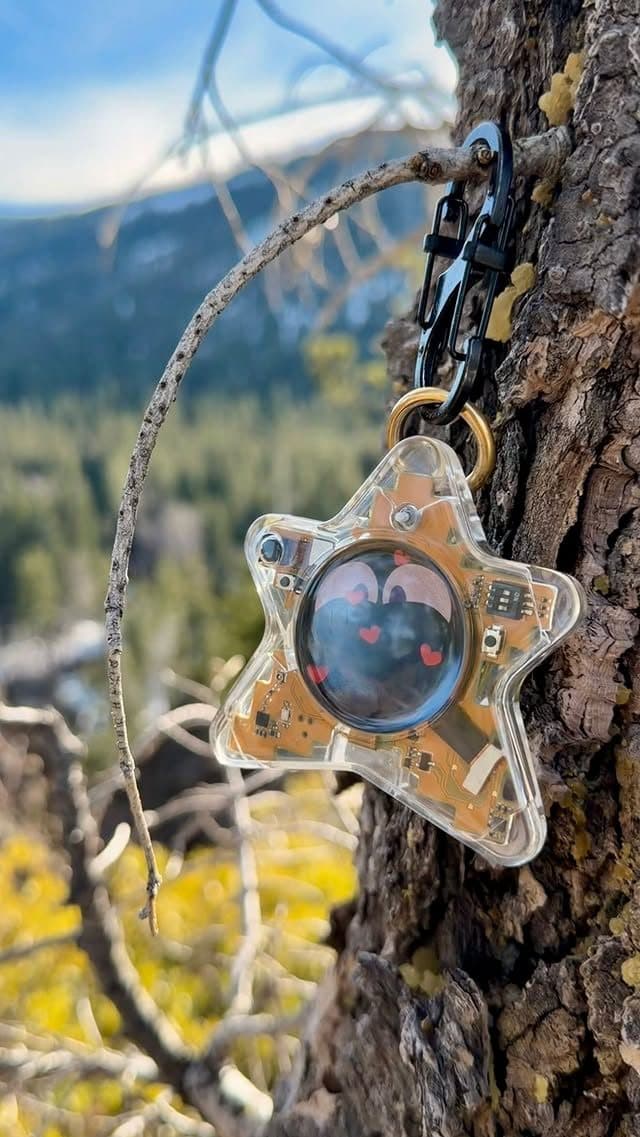
Oneira Dream Big+
Small enough to look playful. Built with a dual AI chip, OLED screen, and 1K camera, plus optional connected experiences you control.
Each $80 Founding Unit includes one Oneira device with a dual AI chip, OLED screen, and 1K camera, plus the selected color and included eye set. The 1K camera is included; its final production module and other non-material production details may change before fulfillment. Optional connected services, provider accounts, usage, and third-party fees are separate.
Oneira's expressive reactions run on the device, so its face can respond without relying on a cloud request.
See the local coreThe working prototype includes a dual ai chip, oled screen, and 1k camera. The 1K camera is included in the $80 Founding Unit; its final production module may change before fulfillment.
Inspect the hardwareOptional compatible connected services can extend Oneira when you choose. Setup, permissions, internet access, provider terms, and usage costs remain separate. Connected experiences work only with compatible services the owner deliberately configures. Oneira does not connect automatically to every service.
See compatible connectionsCompatible connected tools are optional and owner-configured. Nothing is preconfigured, and universal compatibility is not promised.
See connected featuresThe 1K camera supports deliberate, owner-triggered experiences. Optional Dream creation can transform a photo when the owner chooses it.
Open Oneira CreateOptional helper experiences have narrow, visible limits. Broader research, coding, and workspace actions remain in development.
Understand the agent pathDesk + daily carry
Keep Oneira on a desk for glanceable expressions, or carry it on a bag or loop so motion changes the character throughout the day. There is no care meter demanding attention when you are busy.
This is the core use case: small presence without a new feed.
Visual help
Sight can help describe a scene or object, focus on visible text, or return brief task guidance after a deliberate frame. It works best when the subject is well lit, clearly framed, and not high stakes.
Do not use it to identify people or make medical, legal, safety, or emergency decisions.
Connected workflows
A compatible agent or connected tools connection can turn Oneira into a physical entry point for a workflow you set up in the app. The useful pattern is intentional and narrow: choose the tool, grant only what it needs, and review the result.
The specific capabilities depend on the selected service—not a universal promise from the hardware.
Small moments / clear jobs
Oneira fits moments where a tiny expressive object is enough. The Working today use case is direct: the animated face reacts to motion on the device. That can add a sense of character to a desk, bag, shelf, or brief pause without asking you to open an app, chase a streak, or turn an ordinary moment into a task. It is not a productivity replacement; it is a deliberately smaller kind of interaction.
A second use case is Connected beta Sight when you deliberately want a short visual answer. You choose one frame, use an optional connected service, and receive a concise notice, read, or help response. This is best for low-stakes, clear subjects. Sight does not record in the background. Everyone present must agree before an owner-triggered Sight capture. JML does not store the frame or reply in this release.
Good use cases are defined as much by what they exclude. Do not treat Sight as an emergency, medical, legal, identity, access-control, or safety system. Translation and creator assistance are In development, not present-day tasks to plan around. Optional compatible connected tools and services are Connected beta paths that need intentional app setup and permission review before they become part of a routine.
Decision framework
Questions, answered
No. Keep your phone for navigation, communication, emergencies, and general apps. Oneira is a companion and intentional connected interface.
Sight Read can provide short help with visible text, subject to provider support and accuracy. It should not replace accessible course materials or verified translations.
Yes—as a character object, motion-reactive prop, deliberate visual helper, and physical trigger for compatible workflows configured through the app. Creator help such as captions, scripts, and shot lists remains in development.
No care-stat punishment loop is advertised. Oneira is designed for low-demand presence rather than scheduled feeding or discipline.
Oneira / current availability
500 Drop 01 units remain across 5 currently available colors. Availability is confirmed when secure checkout begins.
Preorder a Founding Unit · $80Oneira's focused helpers have narrow, visible limits. Broader research, coding, and approved-workspace actions remain in development.
The most grounded use case is simply carrying or placing an expressive object whose face reacts to motion. If you want a quiet companion-like moment rather than a screen that demands attention, that current behavior is the best evidence for fit.
Sight is designed for a deliberate single frame and a short response about a scene, visible text, or an object or task. Choose a subject you can frame clearly and do not rely on the result for emergencies, professional judgment, identity, access, or safety-critical action.
Everyone present must agree before an owner-triggered Sight capture. A viable use case leaves room to ask first and say no to the request when the environment is private, shared, sensitive, or uncertain. No background recording does not eliminate this responsibility.
Translation and creator assistance are In development. Optional compatible connected tools and services are Connected beta paths whose availability, terms, and compatibility can change. Build habits around Working today reactions and only the connected services you have intentionally configured and tested.
Good fit
Choose differently