On-device reactions
Oneira's expressive reactions run on the device, so its face can respond without relying on a cloud request.
See the local coreDisplay guide / expression over notifications
Learn what to look for in an AI companion with a screen: local expression, readable state, intentional input, connected intelligence, and honest device limits.
Product status
Working today means the expressive face has been demonstrated on a real Oneira device.
Connected beta features require the Oneira app, internet access, a compatible service, and permissions you approve. They can change and may not work with every service.
The short answer
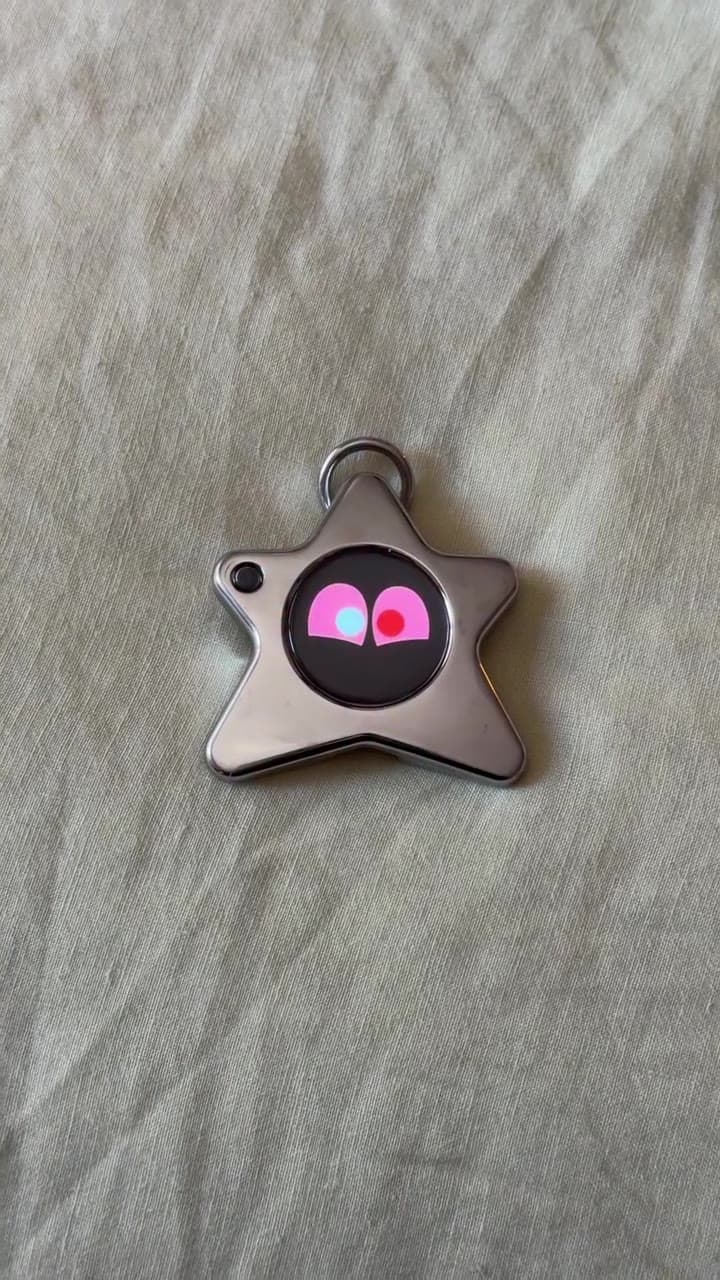
Oneira Dream Big+
Small enough to look playful. Built with a dual AI chip, OLED screen, and 1K camera, plus optional connected experiences you control.
Each $80 Founding Unit includes one Oneira device with a dual AI chip, OLED screen, and 1K camera, plus the selected color and included eye set. The 1K camera is included; its final production module and other non-material production details may change before fulfillment. Optional connected services, provider accounts, usage, and third-party fees are separate.
Oneira's expressive reactions run on the device, so its face can respond without relying on a cloud request.
See the local coreThe working prototype includes a dual ai chip, oled screen, and 1k camera. The 1K camera is included in the $80 Founding Unit; its final production module may change before fulfillment.
Inspect the hardwareOptional compatible connected services can extend Oneira when you choose. Setup, permissions, internet access, provider terms, and usage costs remain separate. Connected experiences work only with compatible services the owner deliberately configures. Oneira does not connect automatically to every service.
See compatible connectionsCompatible connected tools are optional and owner-configured. Nothing is preconfigured, and universal compatibility is not promised.
See connected featuresThe 1K camera supports deliberate, owner-triggered experiences. Optional Dream creation can transform a photo when the owner chooses it.
Open Oneira CreateOptional helper experiences have narrow, visible limits. Broader research, coding, and workspace actions remain in development.
Understand the agent pathA simple flow
Movement changes the expression
The face provides quick visible feedback
Optional connected requests use the app and chosen service
Why a display
Many AI companion experiences live entirely inside chat, audio, or notifications. A dedicated screen gives the object its own presence and makes reactions visible to the owner.
On Oneira, the face is not a remote video feed. It is an expression layer rendered on the device.
Right-sized UI
A tiny OLED screen is good for faces, status, short replies, and confirmation. It is not good for long documents, dashboards, account security, or complex permission review.
Those larger decisions belong in the Oneira app, where destinations, accounts, and provider terms can be explained clearly.
What it is not
Oneira is not advertised with a phone app store, cellular calling, web browser, navigation stack, or general-purpose touch interface.
Choose it for a glanceable character and deliberate connected help—not to replace a smartphone or smartwatch.
Screen companion / ask what the display is for
A screen on an AI companion is meaningful when it makes the device’s state and personality easier to understand. Oneira uses its animated face as the center of the experience: motion creates an on-device response you can see immediately. This supports a different interaction from a dense app grid, message inbox, or attention-hungry feed. The goal is a legible little character and concise feedback, not a promise of full-screen productivity in a smaller form.
When the screen participates in connected help, the scope remains narrow. Sight is Connected beta and can return a short response after an owner takes one frame and chooses notice, read, or help. Everyone present must agree before an owner-triggered Sight capture. There is no passive or background recording, JML does not store the frame or reply in this release, and the active service's controls apply. Translation and creator features are in development. Optional compatible connected tools and services are Connected beta integrations that require deliberate app setup and permissions, with service availability subject to change and no universal compatibility promised.
Decision framework
Questions, answered
The public hardware specification is an OLED screen.
The core motion-reactive expression layer is rendered on the device. Connected model, agent, and connected tools requests need the app and internet.
Oneira is not advertised as a video player or general app platform. Its display is focused on character, state, and concise responses.
Provider selection, permissions, credentials, logs, and long output need the larger and more secure interface of the app.
Oneira / current availability
500 Drop 01 units remain across 5 currently available colors. Availability is confirmed when secure checkout begins.
Preorder a Founding Unit · $80Oneira's focused helpers have narrow, visible limits. Broader research, coding, and approved-workspace actions remain in development.
A companion screen should communicate feeling and state in the moment, not force the owner through menus for every interaction. Oneira’s core screen role is an animated character reacting to motion, which is a distinct value from a general notification display.
When connected help starts, you should understand what was requested and why. Sight uses a deliberate capture and one selected mode before a concise reply, rather than making the screen a permanent stream of inferred information.
Do not buy a small companion screen expecting a laptop, phone, full document reader, or accessibility-certified output device. Important text, instructions, prices, and warnings require an authoritative check beyond a brief AI-generated response.
A visible reply can itself be sensitive around other people. Decide where you will use the object, avoid capturing sensitive material, and remember that Connected beta Sight uses an optional connected service after consent is obtained.
Good fit
Choose differently