On-device reactions
Oneira's expressive reactions run on the device, so its face can respond without relying on a cloud request.
See how reactions workCreator tutorial / capture to content
A capture-to-content tutorial for creators: deliberate one-press capture, shipped writing tools, routing to the editors and channels you connect, repurposing.
Product status
Working today means the expressive face has been demonstrated on a real Oneira device.
Connected beta features require the Oneira app, internet access, a compatible service, and permissions you approve. They can change and may not work with every service.
The short answer
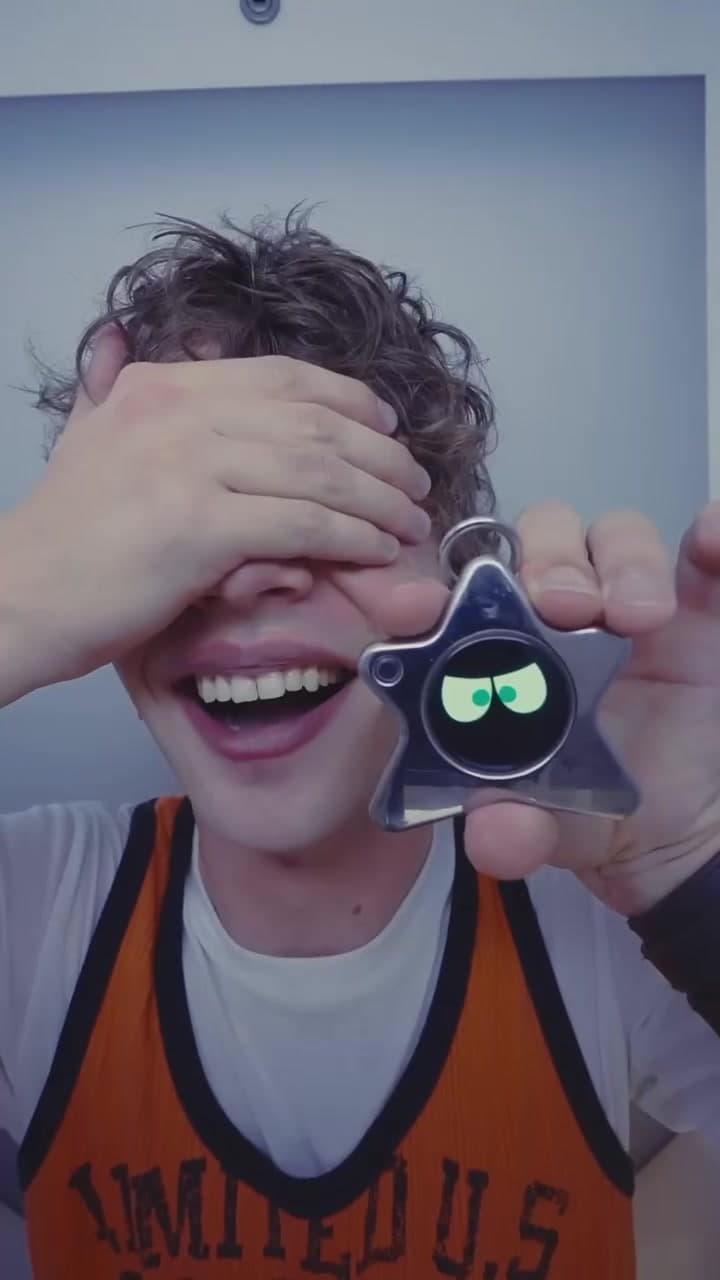
Oneira Dream Big+
Small enough to look playful. Built with a dual AI chip, OLED screen, and 1K camera, plus optional connected experiences you control.
Each $80 Founding Unit includes one Oneira device with a dual AI chip, OLED screen, and 1K camera, plus the selected color and included eye set. Only the final 1K camera module may change before fulfillment. Optional connected services, separate accounts, usage, and third-party fees are not included.
Oneira's expressive reactions run on the device, so its face can respond without relying on a cloud request.
See how reactions workThe working prototype includes a dual AI chip, OLED screen, and 1K camera. The dual AI chip, OLED screen, and 1K camera are included in the $80 Founding Unit; only the final 1K camera module may change before fulfillment.
See included hardwareOptional compatible connected services can extend Oneira when you choose. Setup, permissions, internet access, service terms, accounts, usage, and fees remain separate. Connected experiences work only with compatible services the owner deliberately configures. Oneira does not connect automatically to every service.
See compatible connectionsCompatible connected tools are optional and owner-configured. Nothing is preconfigured, and universal compatibility is not promised.
See connected featuresThe 1K camera supports deliberate, owner-triggered experiences. Optional Dream creation can transform a photo when the owner chooses it.
Open Oneira CreateOptional helper experiences have narrow, visible limits. Broader research, coding, and workspace actions remain in development.
Understand the agent pathA simple flow
One deliberate press when the moment is worth keeping
Draft captions, hooks, and scripts from what you captured
Send work toward the editors and channels you connected
Capture
Everything downstream depends on the capture, and Oneira keeps capture deliberate: Dream photos are one press, protected behind 24-hour codes, and Sight processes a single owner-triggered frame. Nothing records in the background waiting to become useful.
Treat that as a creative constraint rather than a gap. A creator who presses when a moment is worth keeping ends the week with a short list of usable moments instead of an hour of footage to scrub — and results vary with what you capture, so aim the press.
Create
The shipped creator tools cover the drafting layer: captions tuned for Instagram, TikTok, or YouTube, short-form hooks, UGC scripts, voiceovers, and Shorts ideas — plus trip recaps and stories built from photos you select.
The same tools work before the next capture, too: shot lists for what to film, and photography coaching on framing, lighting, angles, and composition, so the following press has a better chance of being the good one.
Route
From the drafts, the workflow points outward. The creative-tool integration areas cover Canva, CapCut, Lightroom, Photoshop, DaVinci Resolve, and Final Cut Pro; the social areas cover TikTok, Instagram, YouTube, Snapchat, Pinterest, and Facebook; and creator tools ship with Growit integration for creators.
Every name on that list is an integration area, not an automatic live connection. Each one takes your own account and authentication, configured with specific permissions in the Oneira app, which routes requests only where you pointed them.
Repurpose
One good capture rarely deserves only one post. Content repurposing turns the same moment into several formats, each shaped for a different channel, so the pipeline multiplies material instead of consuming it.
That closes the loop and lowers the pressure on the next press: you need one moment worth keeping, not a day of them. The loop runs on your accounts and your judgment — the tools draft, and you decide what ships.
Sources and scope
This independent comparison is not sponsored or endorsed by the compared company. Product names and trademarks belong to their respective owners.
Questions, answered
One deliberate press. Dream photos sit behind 24-hour codes, Sight processes a single owner-triggered frame, and nothing records on its own — the workflow starts only when you start it.
Captions for Instagram, TikTok, YouTube, and general social, short-form hooks, UGC scripts, voiceovers, Shorts ideas, and stories or trip recaps from photos you select. Shot lists and photography coaching help before the next capture.
No. They are integration areas — each needs your own account and authentication, with permissions you grant in the Oneira app, and third-party fees stay yours.
Creator tools ship with Growit integration for creators. Like every connection, it runs through setup you do with your own account; no further Growit features are claimed here.
No. Results vary with what you capture — the tools draft from the material you give them, which is why the deliberate press is the step worth practicing.
Oneira / current availability
500 Drop 01 units remain across 5 currently available colors. Availability is confirmed when secure checkout begins.
Preorder a Founding Unit · $80