On-device reactions
Oneira's expressive reactions run on the device, so its face can respond without relying on a cloud request.
See how reactions workAutomation guide / one deliberate press
Looking for a physical one-press automation button? Oneira ships one-tap actions and automations; you configure what a press runs and what needs approval.
Product status
Working today means the expressive face has been demonstrated on a real Oneira device.
Connected beta features require the Oneira app, internet access, a compatible service, and permissions you approve. They can change and may not work with every service.
The short answer
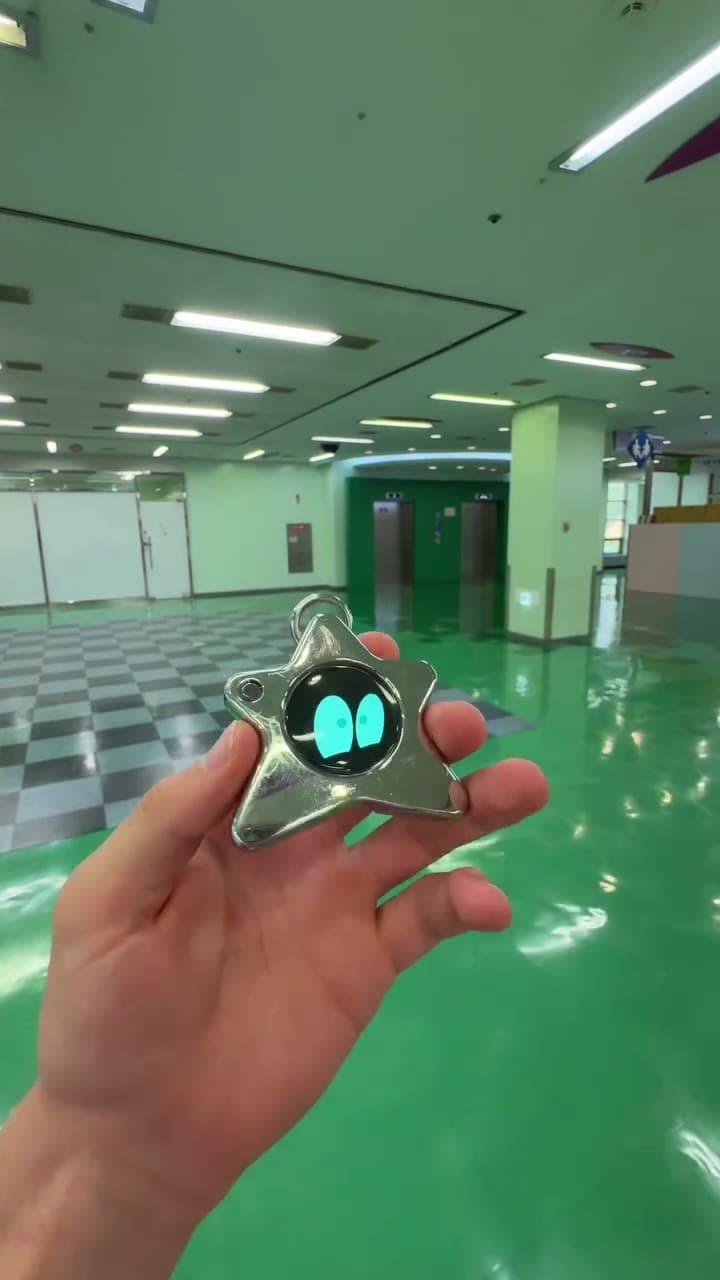
Oneira Dream Big+
Small enough to look playful. Built with a dual AI chip, OLED screen, and 1K camera, plus optional connected experiences you control.
Each $80 Founding Unit includes one Oneira device with a dual AI chip, OLED screen, and 1K camera, plus the selected color and included eye set. Only the final 1K camera module may change before fulfillment. Optional connected services, separate accounts, usage, and third-party fees are not included.
Oneira's expressive reactions run on the device, so its face can respond without relying on a cloud request.
See how reactions workThe working prototype includes a dual AI chip, OLED screen, and 1K camera. The dual AI chip, OLED screen, and 1K camera are included in the $80 Founding Unit; only the final 1K camera module may change before fulfillment.
See included hardwareOptional compatible connected services can extend Oneira when you choose. Setup, permissions, internet access, service terms, accounts, usage, and fees remain separate. Connected experiences work only with compatible services the owner deliberately configures. Oneira does not connect automatically to every service.
See compatible connectionsCompatible connected tools are optional and owner-configured. Nothing is preconfigured, and universal compatibility is not promised.
See connected featuresThe 1K camera supports deliberate, owner-triggered experiences. Optional Dream creation can transform a photo when the owner chooses it.
Open Oneira CreateOptional helper experiences have narrow, visible limits. Broader research, coding, and workspace actions remain in development.
Understand the agent pathWhy a button
A physical automation button collapses a routine into one deliberate action. The thinking happened earlier, when you decided what the press should run; the moment itself costs a second and no screen time.
That is the search behind one-tap automation device: not a smaller phone, but a way to fire a known, bounded routine without unlocking anything.
On Oneira
One-tap actions and automations both ship on Oneira. The device does not guess; a press runs the action you wired to it, against the integration areas you set up with your own accounts and permissions.
Good first candidates come from the published integration areas — reads and small sends you repeat every day.
Safety
Start with presses that only read: calendar, weather, news, transportation. They prove the habit with nothing at stake, and a misfire costs nothing.
Anything consequential — a press that sends, posts, or changes an external system — should keep explicit owner approval in the loop. One button should never become blanket authorization, and nothing on Oneira is pre-wired: a press can only reach services you configured.
Sources and scope
This independent comparison is not sponsored or endorsed by the compared company. Product names and trademarks belong to their respective owners.
Questions, answered
A physical object where one press runs an action you configured in advance, instead of a routine buried in a phone. Oneira ships one-tap actions and automations as capability families.
Whatever you wire it to across your configured integration areas — a calendar read, a captured note, a team-channel message, a weather check, a news brief, or maps and transportation information.
No. Integration areas require your own setup, accounts, and permissions, and a press runs only what you deliberately assigned to it.
Only after read-only presses have earned trust, and with owner approval kept on anything consequential. A convenience button is not authorization for unattended actions.
The Drop 01 hardware is $139 per edition with no Oneira subscription for the core product. Third-party services behind your presses can carry their own accounts and fees.
Oneira / current availability
500 Drop 01 units remain across 5 currently available colors. Availability is confirmed when secure checkout begins.
Preorder a Founding Unit · $80